
Appearance
Restaurant
Cost Coverage
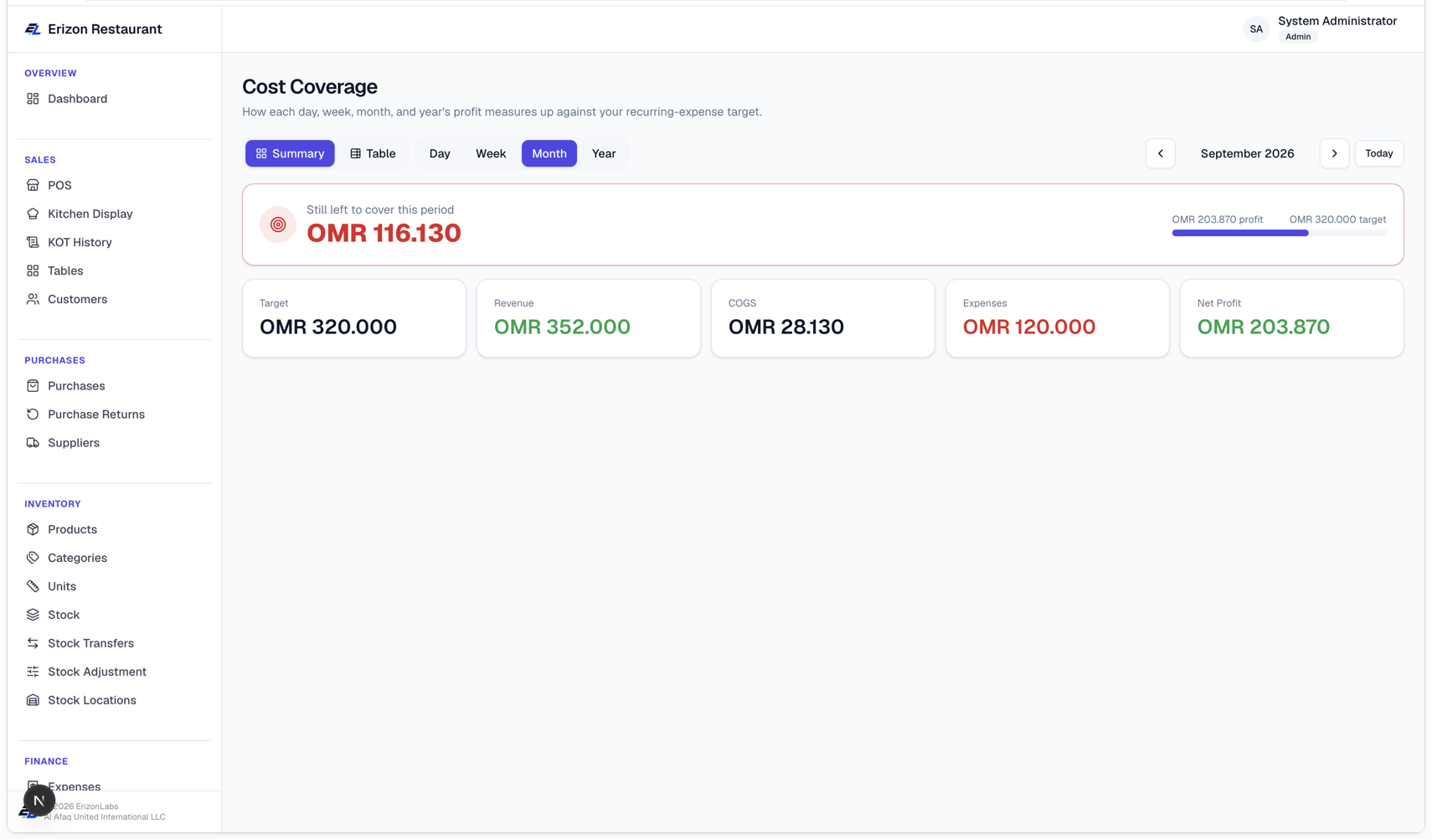
This report answers a simple question: is what we're making right now enough to cover our fixed monthly costs (rent, salaries, utilities...)?
It works out a target — your total recurring expenses for the month (see Recurring Expenses), spread evenly across the days you're actually open (see Working days under Settings) — and compares it against your actual profit for the same period.
Use the Day / Week / Month / Year tabs to pick a period, and the < / > arrows (or Today) to move between periods. Two views, switched with the Summary / Table toggle at the top:
- Summary — one big number: either "Still left to cover" (in red, if profit hasn't yet reached the target) or "Target covered — surplus" (in green, if it has), with a progress bar and the underlying Target/Revenue/COGS/Expenses/Net Profit figures below it.
- Table — a day-by-day breakdown for the selected week or month: one row per day with that day's Target, what was actually Covered (profit), and the Balance — green if that day was in surplus, red if it fell short. A day you're closed on shows as a dimmed "Non-working day" row with no target, since it's not counted toward covering the month's costs.
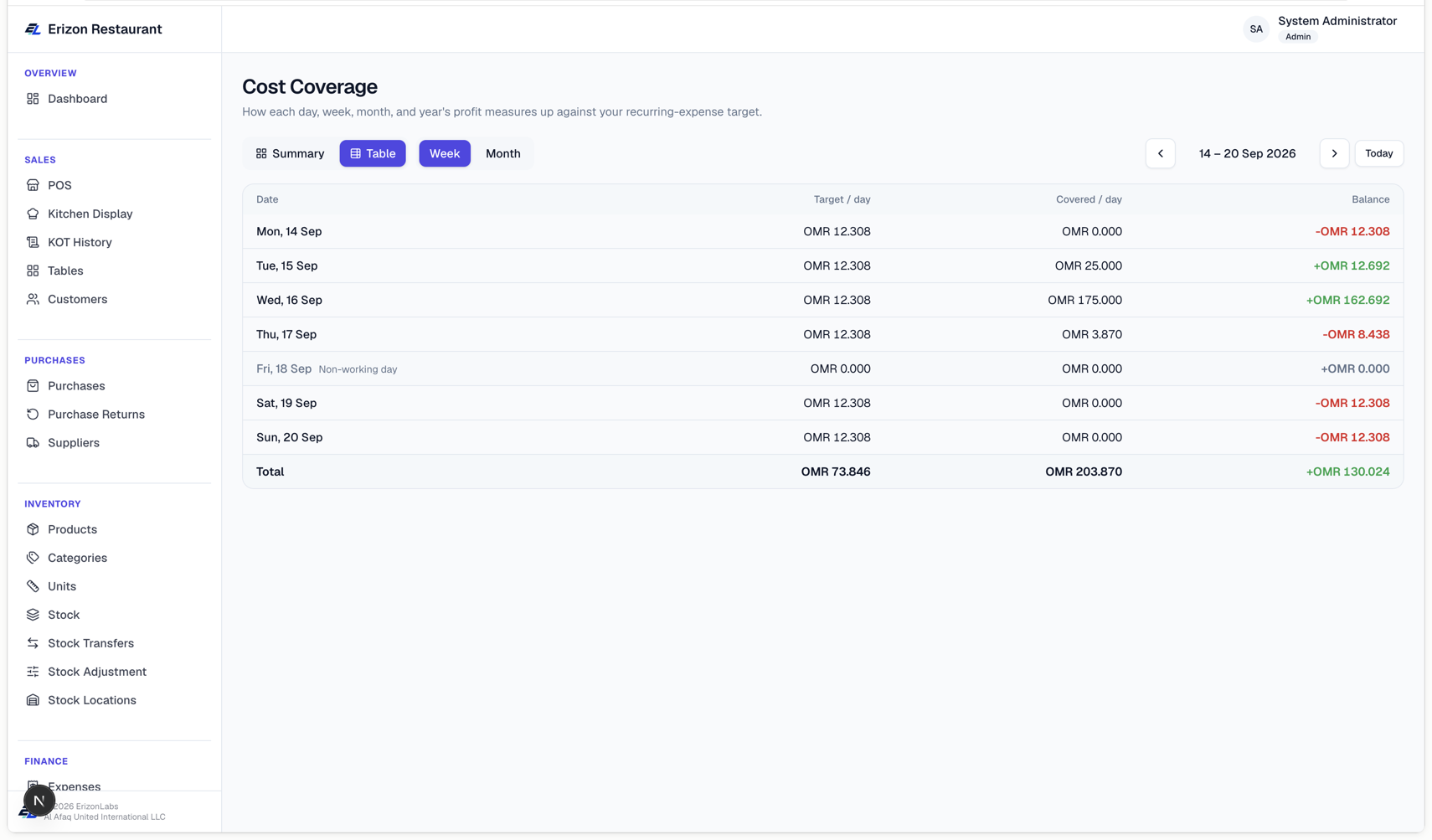
If a day/week's numbers look off, check Settings → Company → Working days — the target calculation only spreads your recurring costs across the days ticked there.