
Appearance
Accounts
Cash & Bank
Receipts & Payments
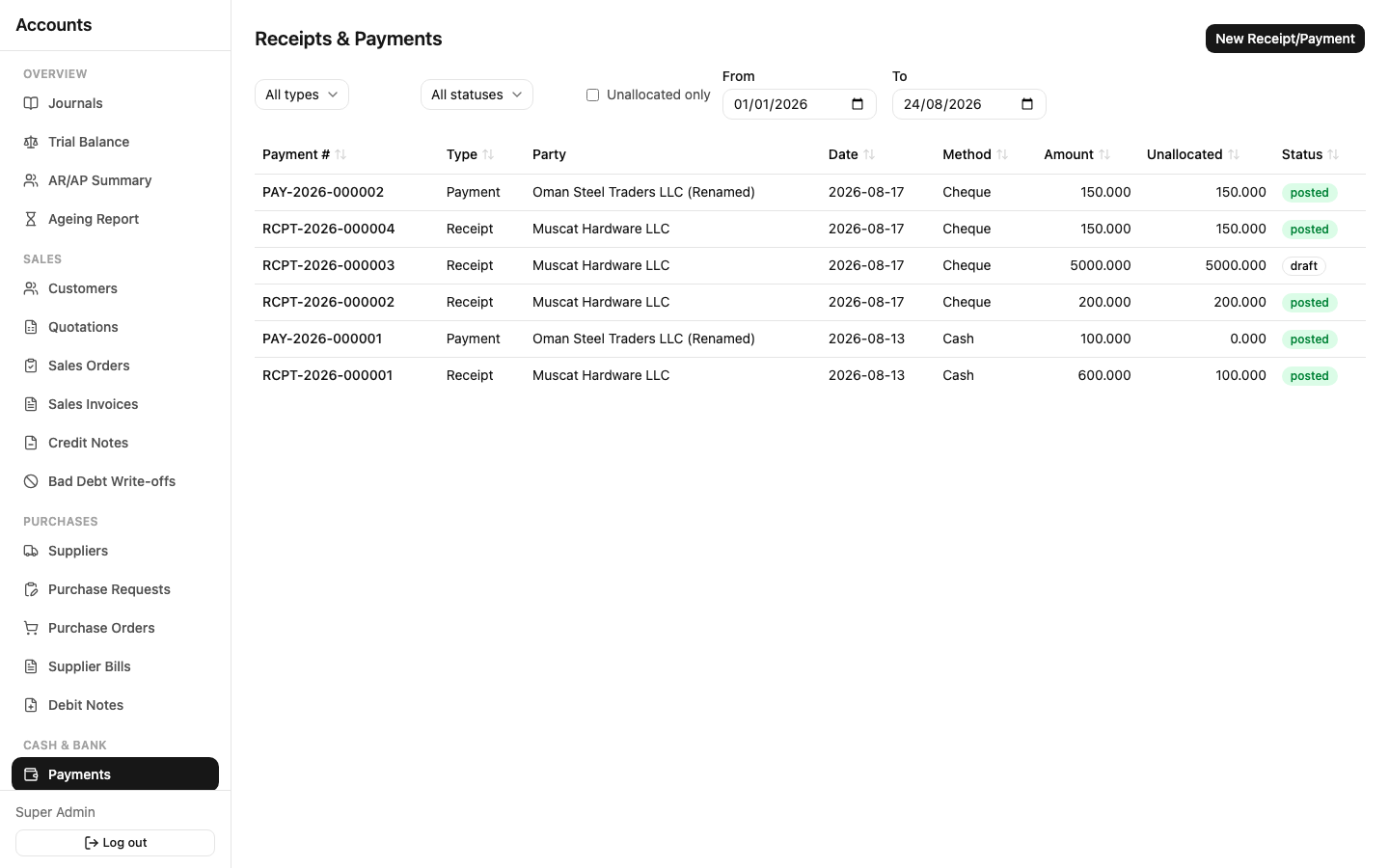
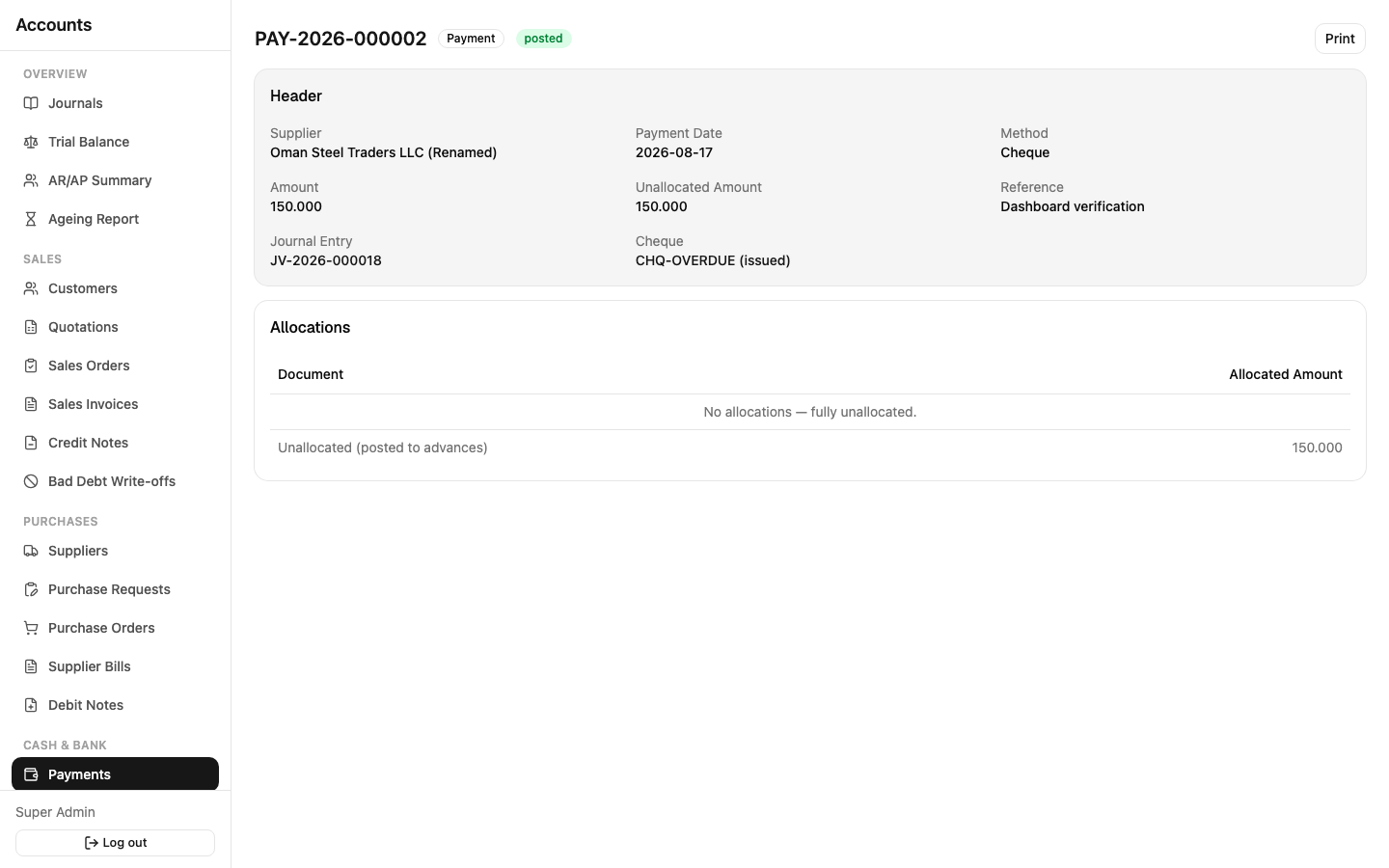
Sidebar: Cash & Bank → Payments. One screen handles both directions — a Receipt is money coming in from a customer, a Payment is money going out to a supplier. Choose the payment method: Cash, Bank Transfer, Card, or Cheque.
Allocation: a receipt or payment doesn't have to be tied to exactly one invoice/bill. You can:
- Allocate it fully or partially against one or more open invoices/bills
- Leave it unallocated and match it to an invoice later (the Payments list has an "Unallocated only" filter to find these)
- Overpay — the excess sits as an unallocated amount you can apply to a future invoice
Lifecycle is shorter here than on invoices: Draft → Approved → Posted — no separate submit step, no reversal (a wrong payment is corrected by adjusting its allocation or entering an offsetting transaction, not a formal reverse). Print/PDF is available once posted.
Cheques & the PDC Dashboard
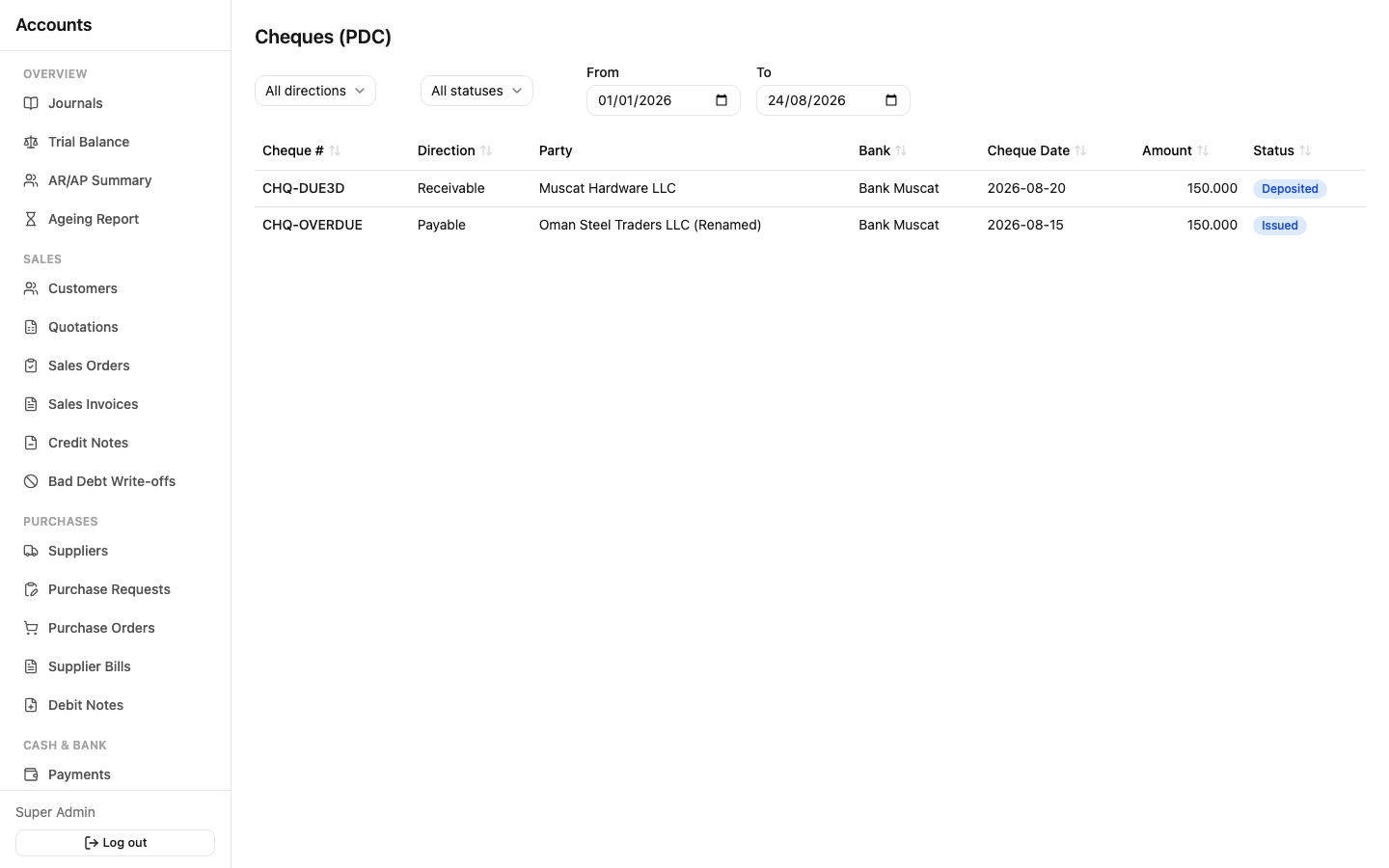
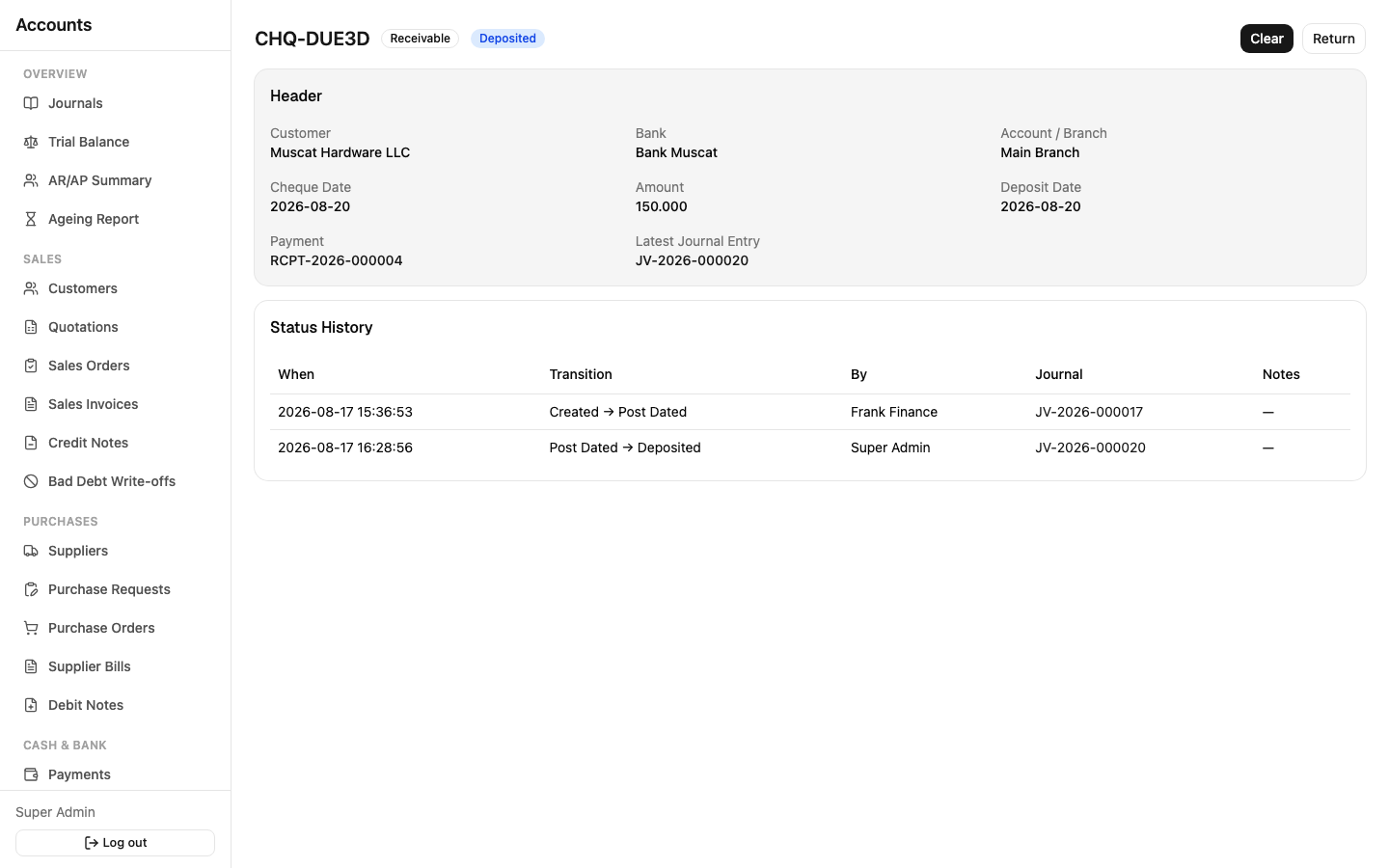
Sidebar: Cash & Bank → Cheques and Cash & Bank → PDC Dashboard.
When you record a Payment with method = Cheque, a linked Cheque record is created automatically. From there, the Cheques screen tracks it through its own lifecycle, independent of the invoice it was settling:
Received/Issued → (if post-dated) Post-Dated → Due → Deposited → Cleared or Returned- Deposit a received cheque once you take it to the bank.
- Clear it once the bank confirms funds have settled.
- Return it if it bounces — this reinstates the customer's receivable and lets you record any bank charges incurred.
- Replace a returned cheque with a new one from the customer, or Cancel it and write it off.
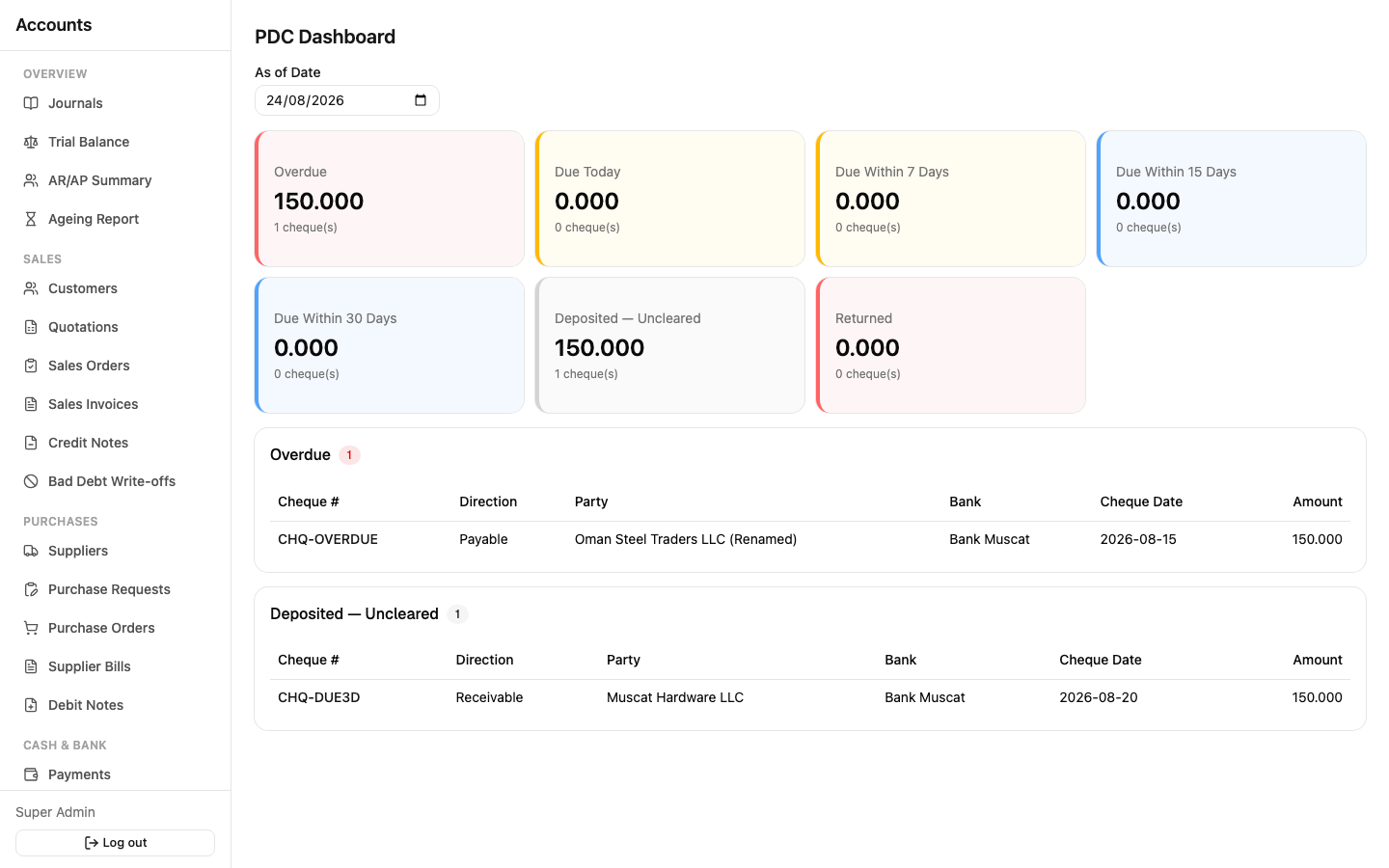
The PDC Dashboard is a live view (not a document you fill in) of every outstanding cheque, bucketed into Overdue / Due Today / Due Within 7 Days / Due Within 15 Days / Due Within 30 Days / Deposited & Uncleared / Returned — color-coded (red = overdue/returned, amber = due soon, blue = due later, gray = deposited) so you can spot what needs attention at a glance. Filter by an "as of" date to see the picture on any given day.
Bank Accounts
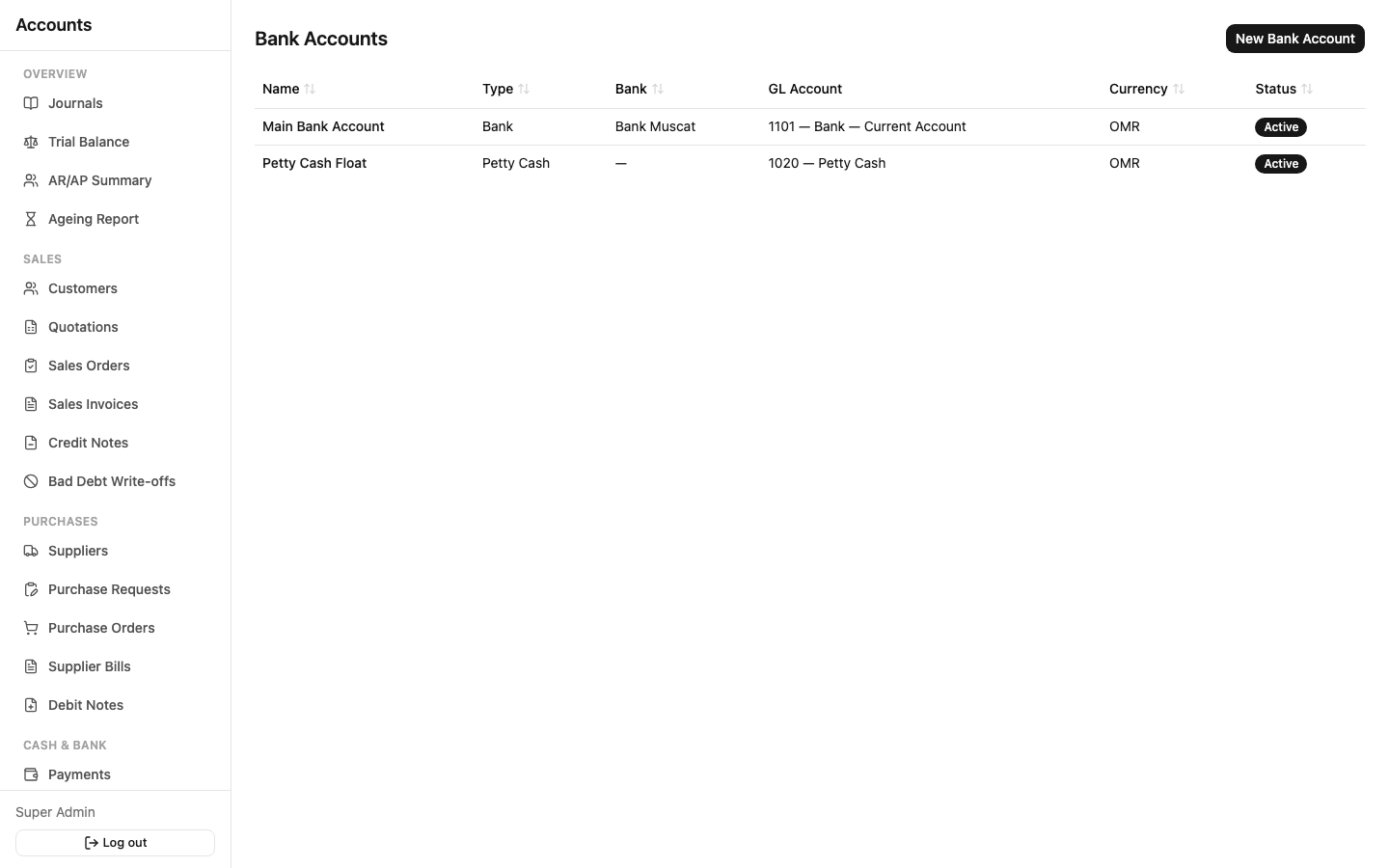
Sidebar: Cash & Bank → Bank Accounts. Register each bank account, cash drawer, or petty cash float here — every one is linked to a GL account, so transactions against it post correctly. Account numbers and IBANs are encrypted at rest.
Cash & Bank Transactions
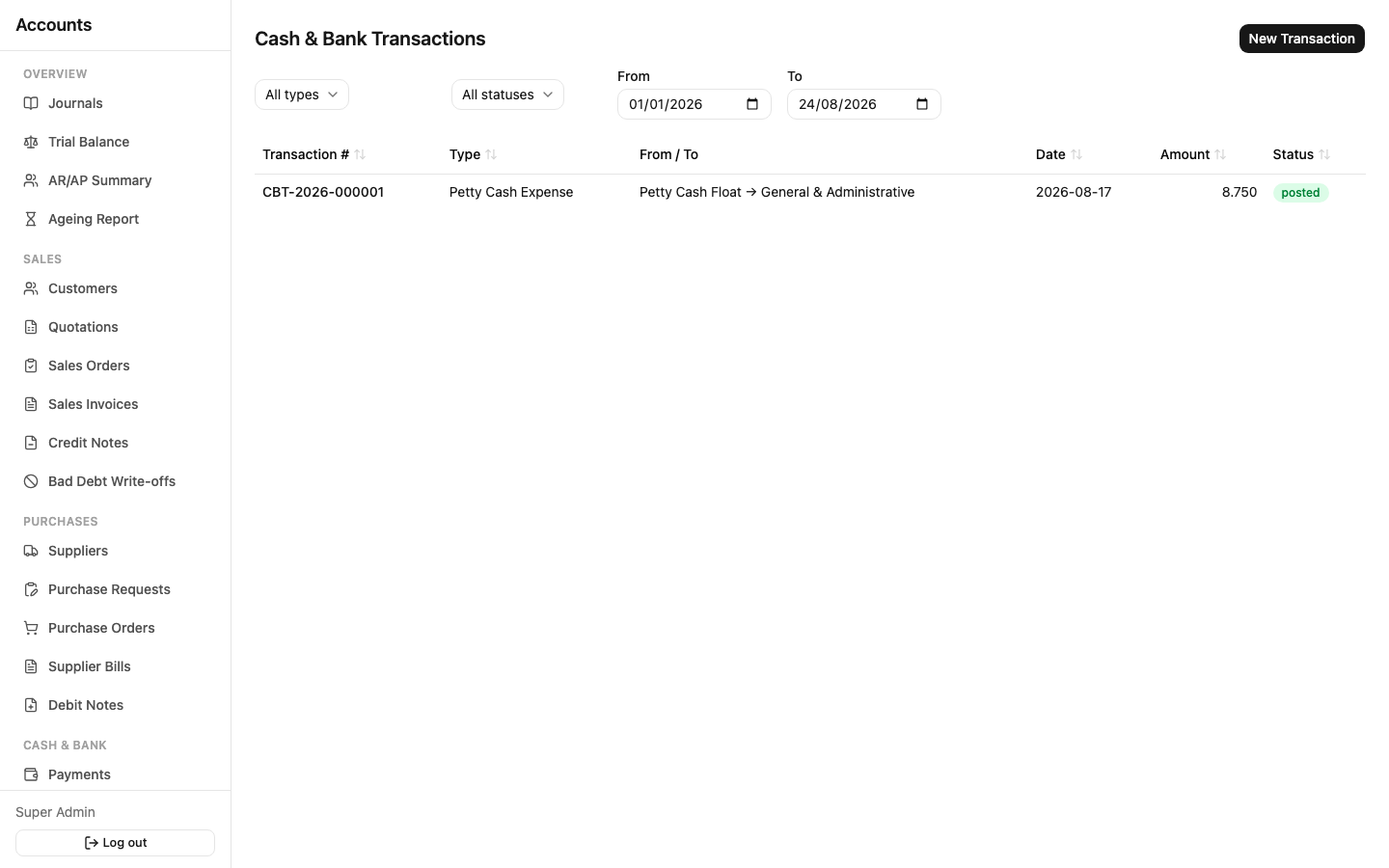
Sidebar: Cash & Bank → Cash & Bank Transactions. For money movements that aren't a customer/supplier receipt or payment: transferring funds between two of your own accounts (Contra Transfer), recording a bank charge, interest earned, or a petty-cash expense. Same Draft → Approved → Posted lifecycle as Payments.
Bank Reconciliation
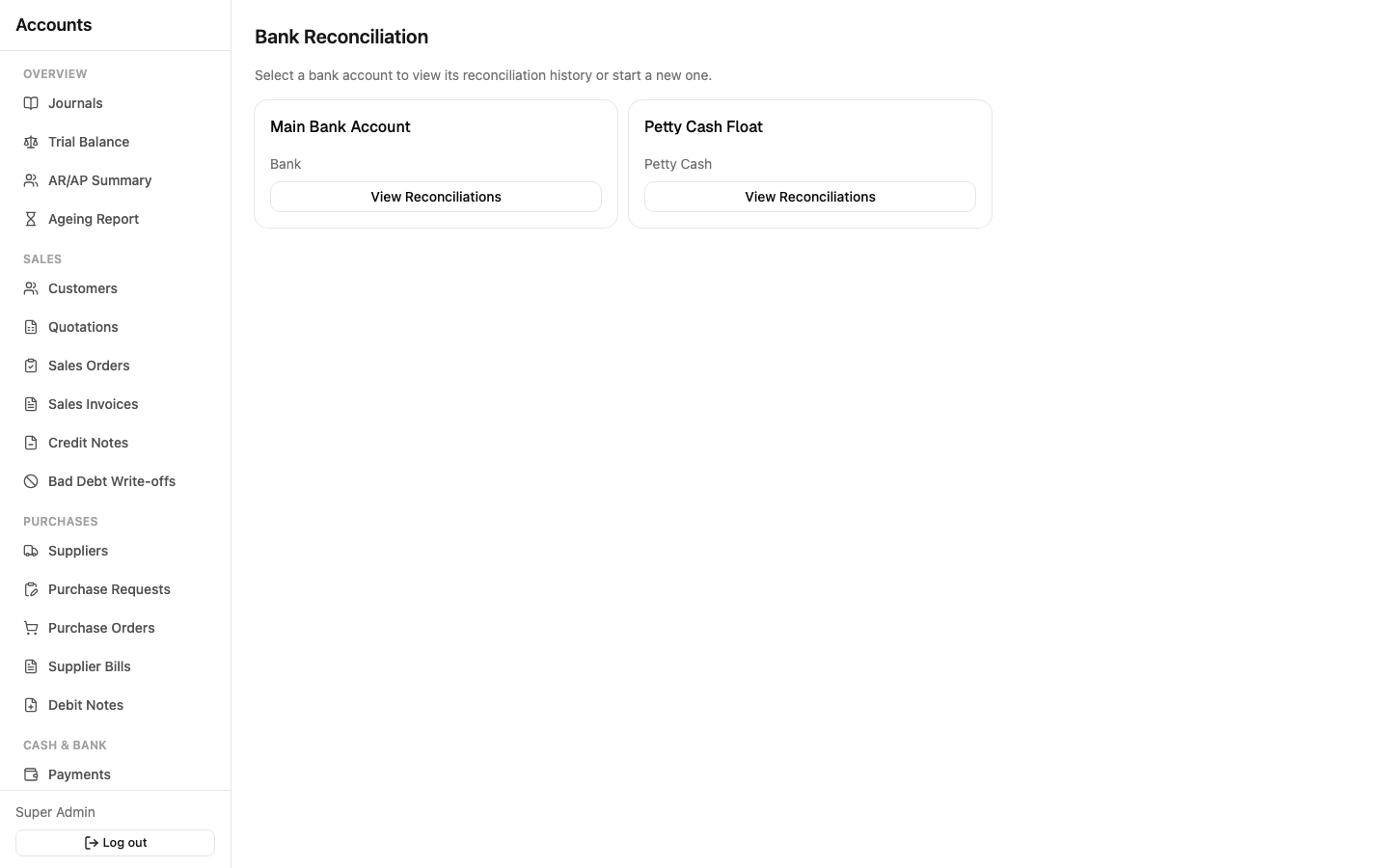
Sidebar: Cash & Bank → Bank Reconciliation.
- Pick the bank account you're reconciling and import a statement (CSV/Excel export from your bank).
- The system suggests matches between imported statement lines and your own posted transactions (payments, receipts, transfers) based on amount and date.
- Confirm the matches it got right; match anything it missed manually.
- Anything left unmatched stays visible — a bank fee you haven't booked yet, or a payment still in transit.
- Complete the reconciliation once the statement balance and book balance agree. Completed reconciliations stay in the history for audit purposes.