
Appearance
Accounts
Tax & VAT
Sidebar: Settings → Tax Codes, VAT Return Summary, VAT Transaction Report, Tax Periods.
Tax Codes
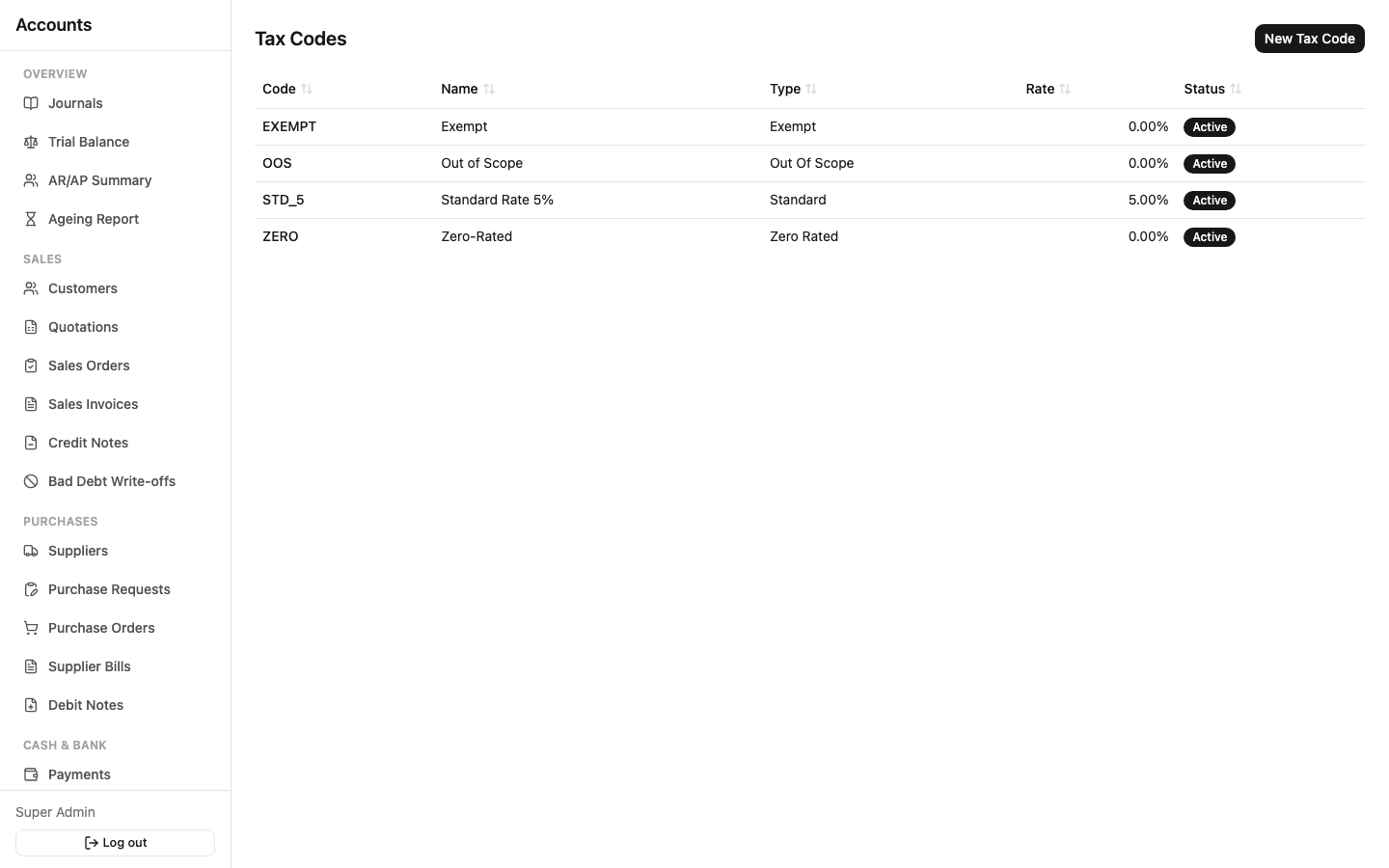
A Tax Code combines a treatment and a rate: Standard (a real percentage, e.g. 5%), Zero Rated, Exempt, or Out of Scope (the last three are always 0%). Every line on every Quotation, Sales Order, Delivery Note, Sales Invoice, Credit Note, Purchase Request, Purchase Order, GRN, Supplier Bill, and Debit Note picks one of these codes — that's what drives the VAT calculation and what the VAT reports group by.
Tax Exclusive vs. Tax Inclusive: chosen per document. Exclusive means the unit price you type doesn't include VAT (VAT is added on top); Inclusive means it does (VAT is backed out of the price you typed). The line, subtotal, and grand-total math adjusts automatically either way.
VAT Return Summary
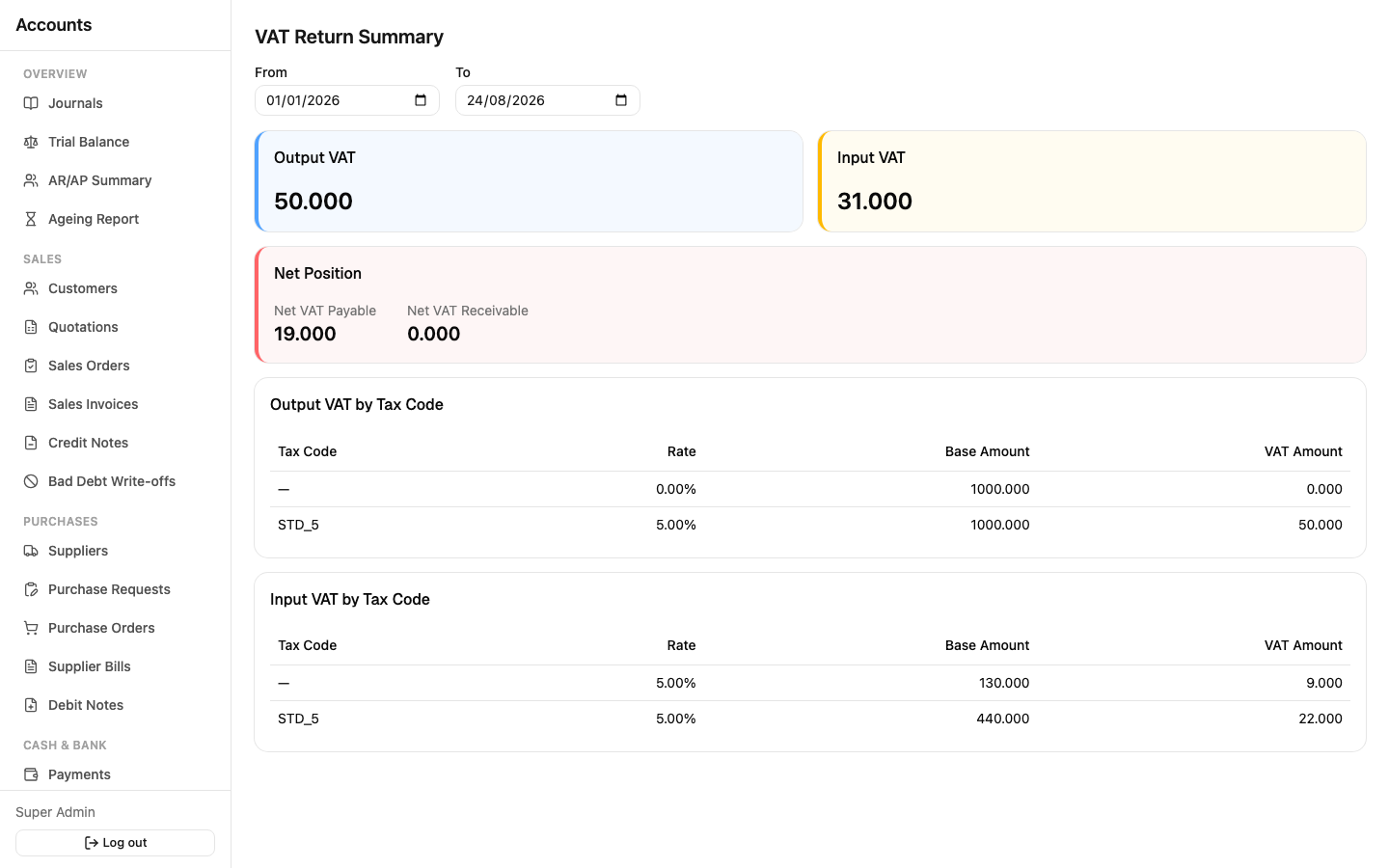
Sidebar: Settings → VAT Return Summary. Pick a date range and see your Output VAT (VAT you charged customers) against your Input VAT (VAT suppliers charged you), broken down by tax code, with the net position — VAT Payable if Output exceeds Input, VAT Receivable if Input exceeds Output. This is what you'd use to prepare an actual VAT filing.
VAT Transaction Report
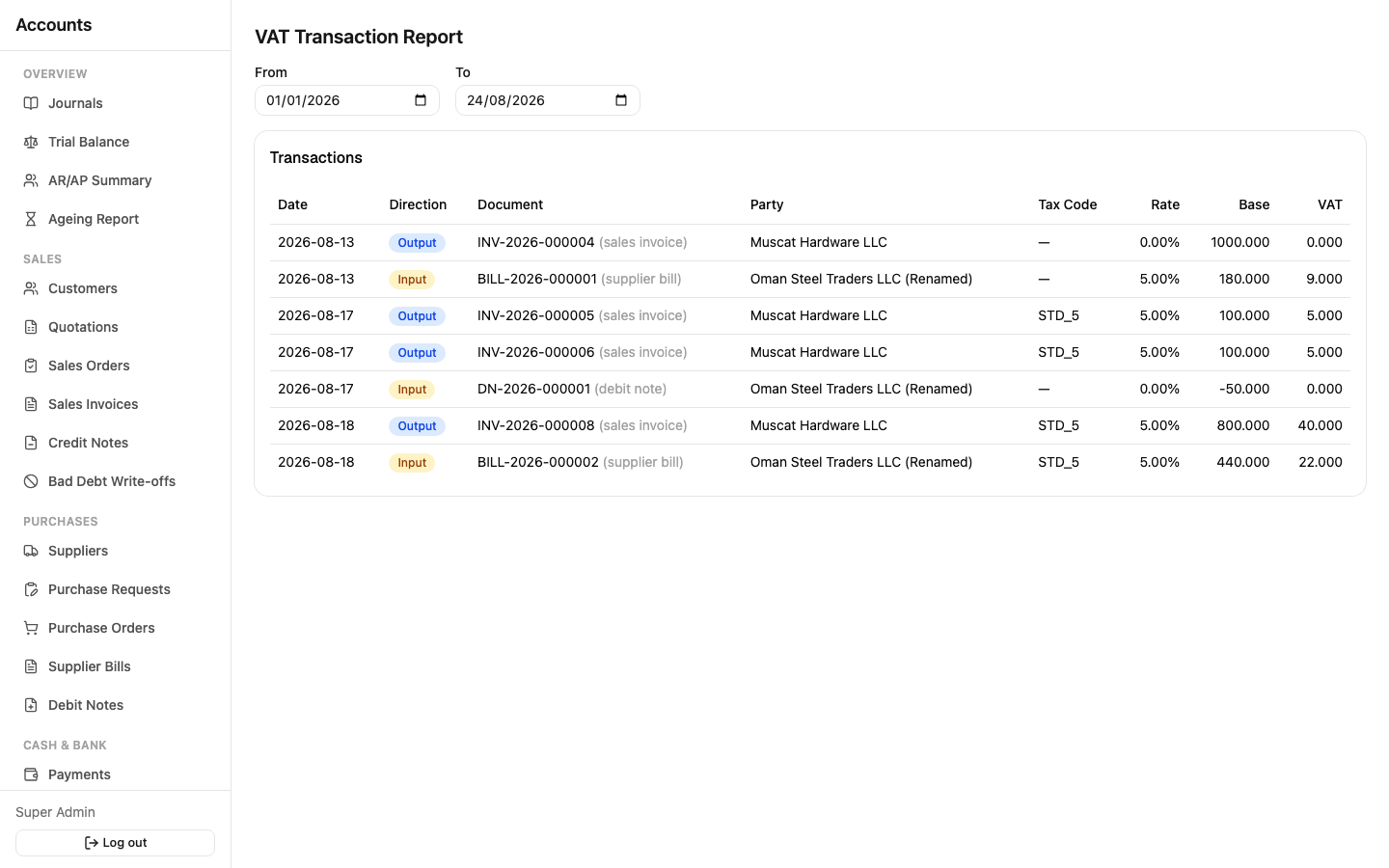
Sidebar: Settings → VAT Transaction Report. The line-by-line detail behind the summary — every taxed transaction in the period, with its direction (Output/Input, color-coded blue/amber), document, party, tax code, rate, base amount, and VAT amount. Use this when you need to trace a number on the summary back to the actual invoice or bill that produced it.
Tax Periods
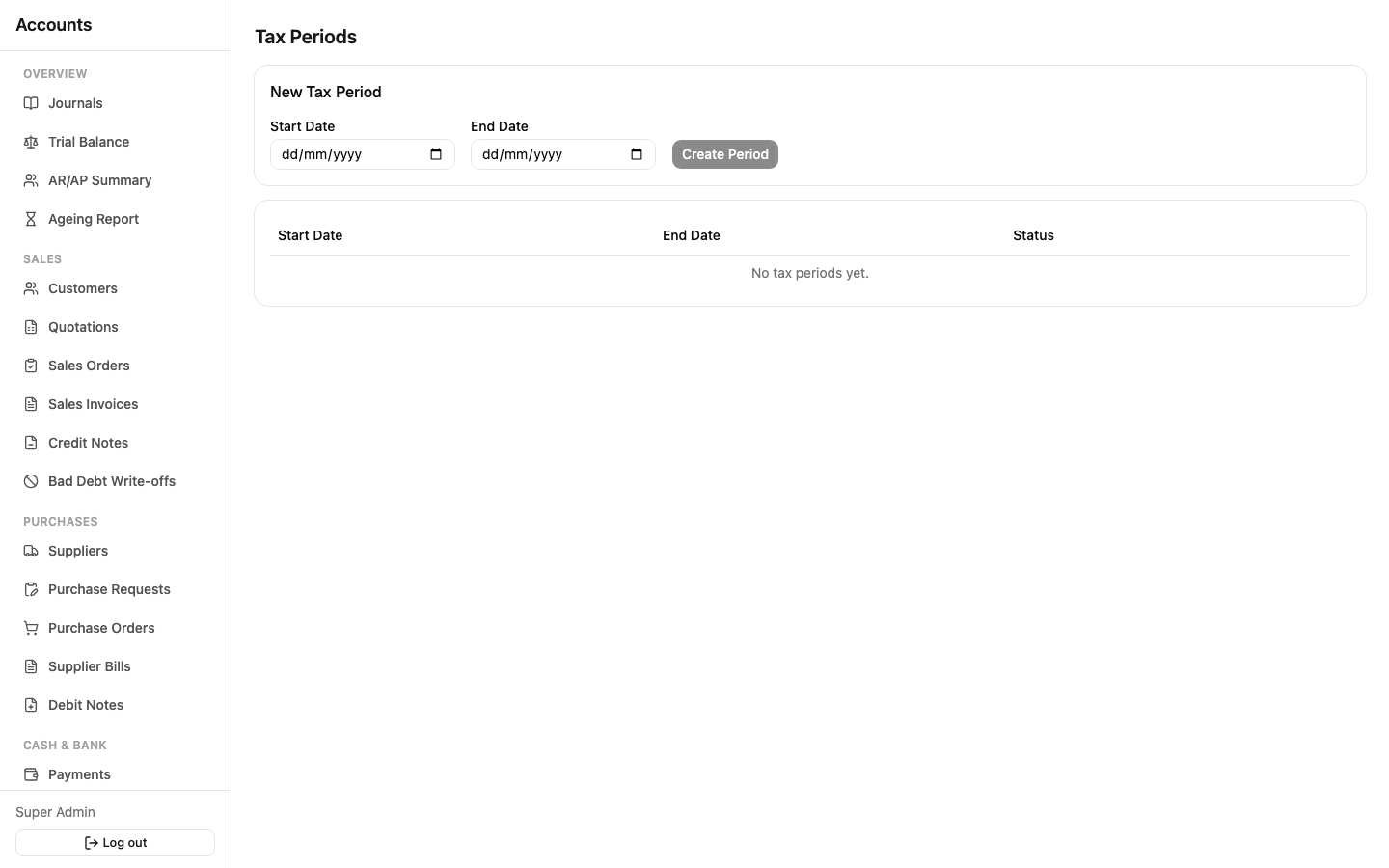
Sidebar: Settings → Tax Periods. Independent from the monthly Accounting Periods — these are your VAT filing windows (typically quarterly). Locking a tax period blocks any new posting that would touch Output or Input VAT within its date range, so once you've filed a VAT return for a period, nothing can silently change the numbers you already reported. Locking/unlocking is restricted to roles with the appropriate permission — see Approvals & Workflow.