
Appearance
Accounts
Journals & Reports
Manual Journals
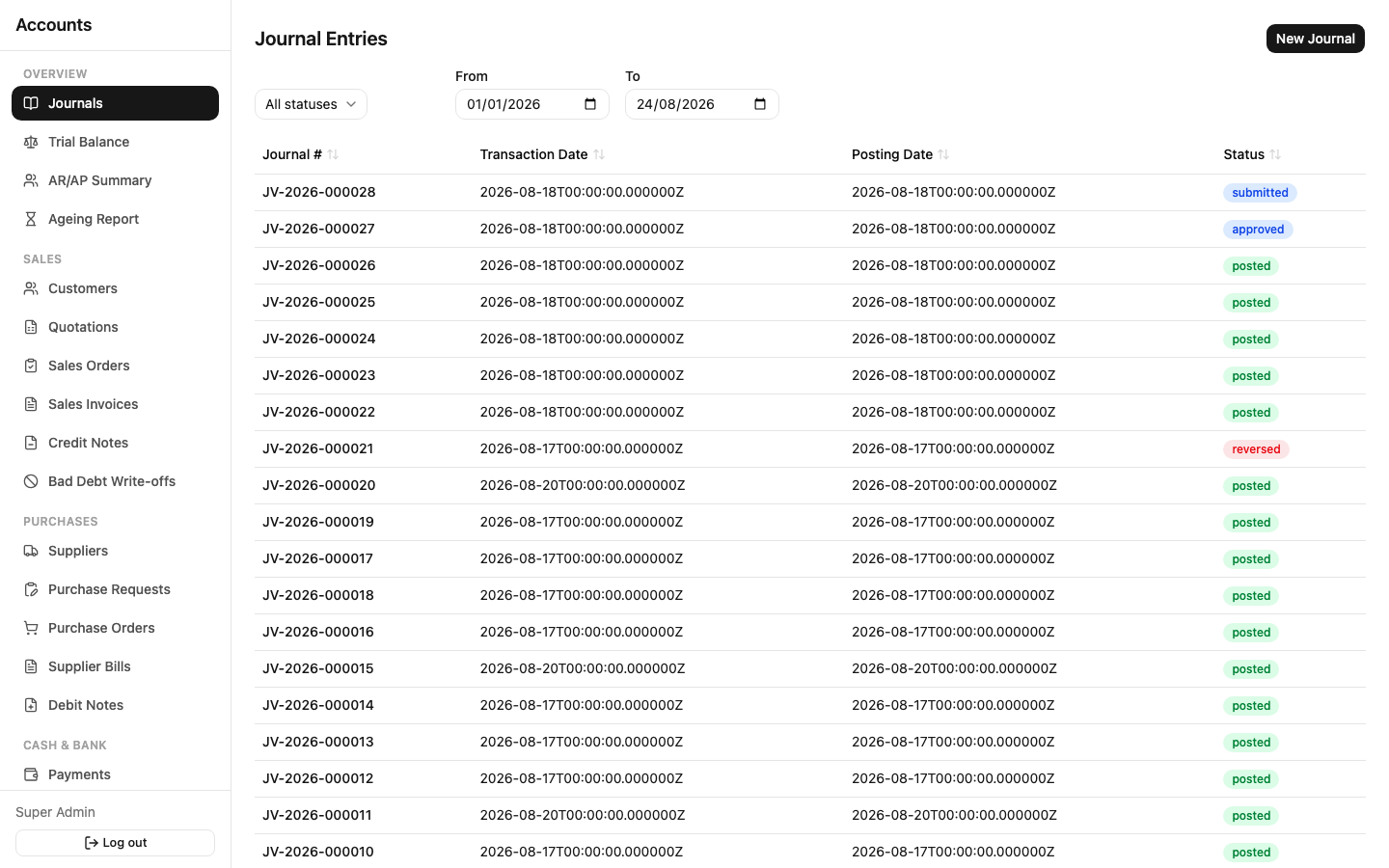
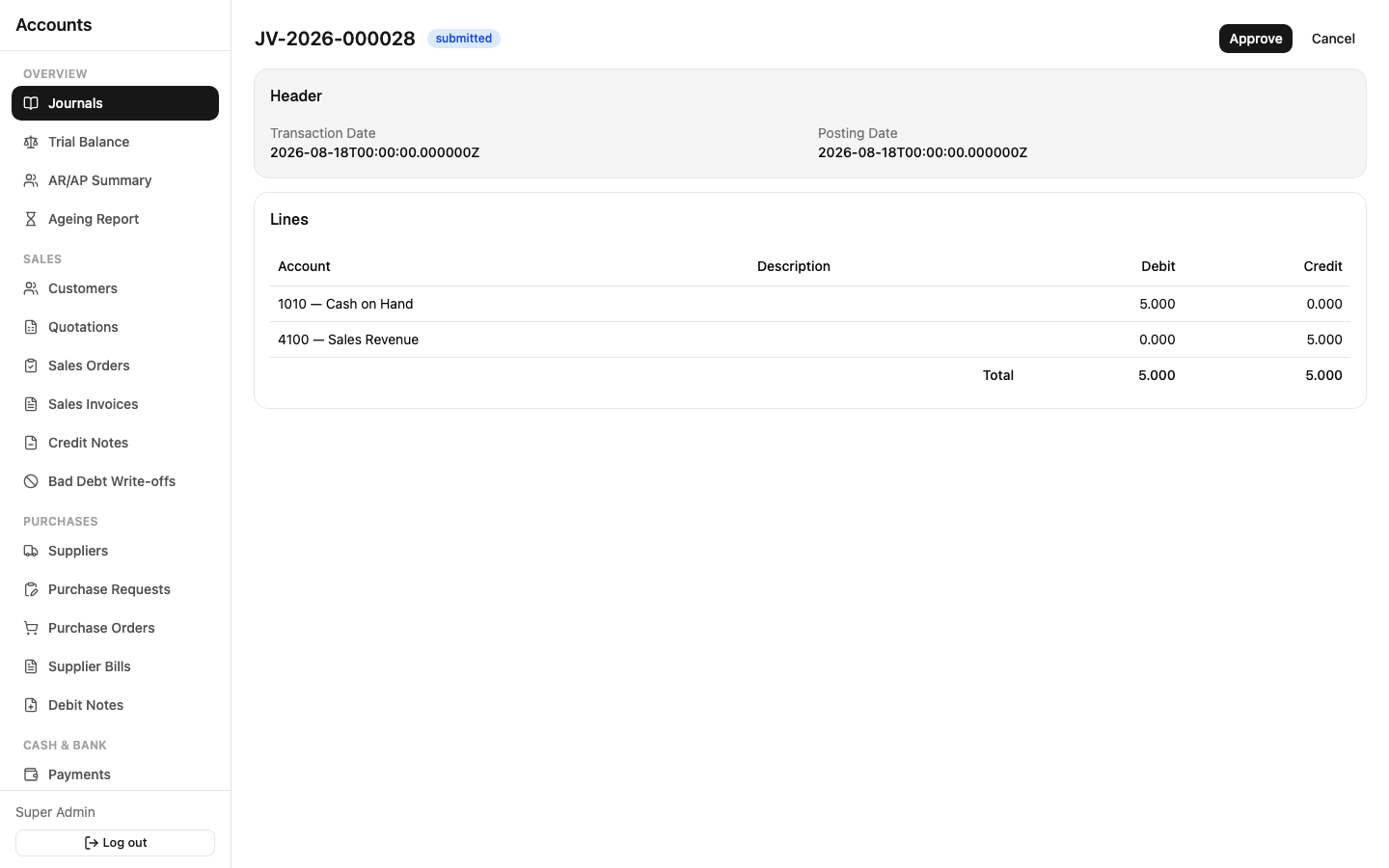
Sidebar: Overview → Journals. This is also the screen you land on after logging in.
Every financial transaction in the system — whether you create it directly here or it's generated automatically by posting a Sales Invoice, Supplier Bill, Payment, etc. — ends up as a Journal Entry: a set of debit and credit lines against GL accounts that must balance exactly (total debits = total credits) before the system will accept it.
You'll use this screen directly for entries nothing else in the app generates — accruals, corrections, opening balances, or anything your accountant needs to book manually.
- New Journal — pick a transaction date and posting date, add lines (account, description, debit or credit amount). The system won't let you submit until the lines balance.
- Submit it once you're done.
- Someone else Approves it (see Approvals & Workflow for who and why it usually has to be someone else).
- Post it — this is the moment it actually lands in the General Ledger and becomes permanent.
- If it needs correcting later, Reverse it — this creates a new, opposite journal entry referencing the original; the original itself is never touched.
A journal can also be Cancelled instead of posted, but only before it reaches Posted status.
Trial Balance
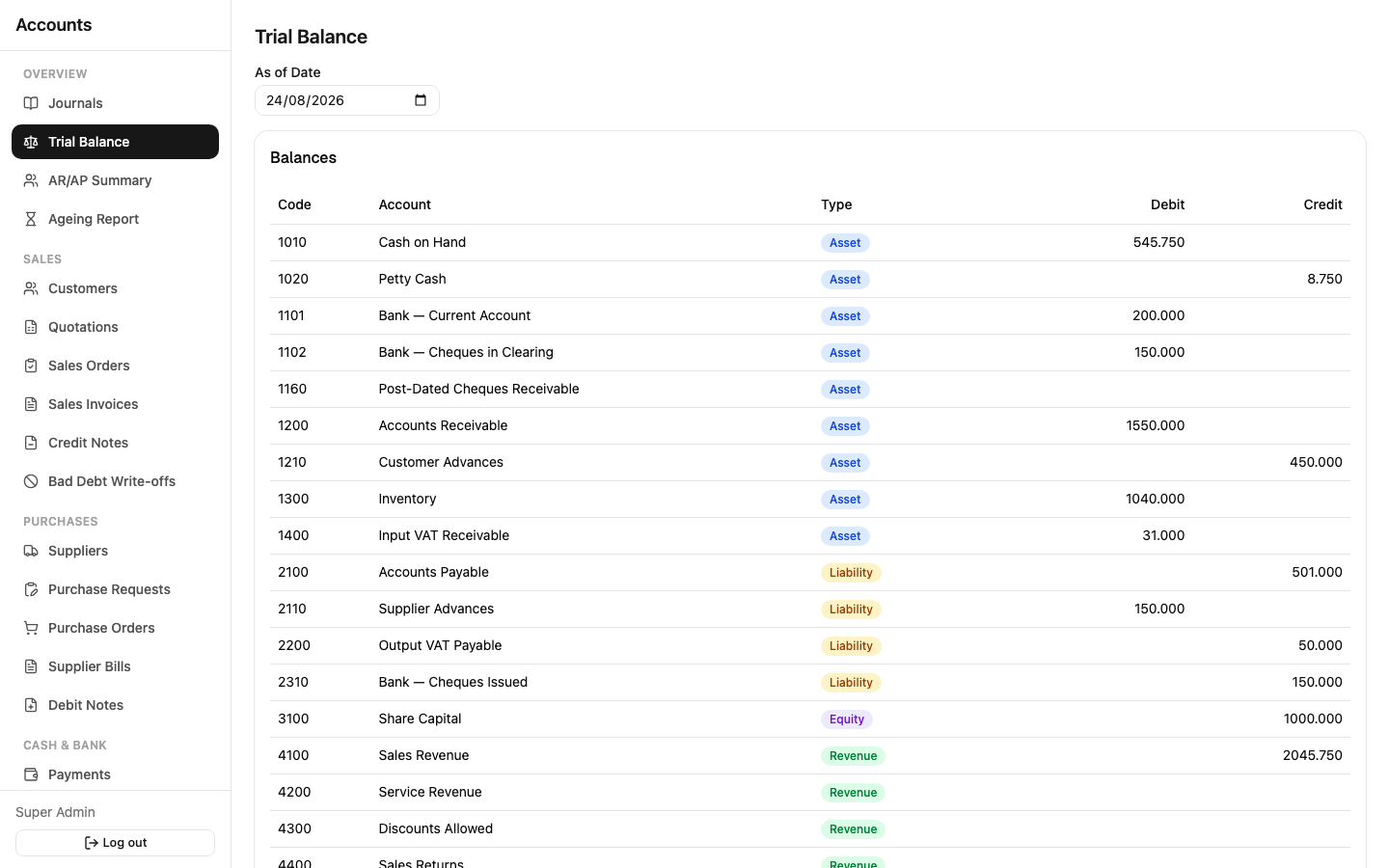
Sidebar: Overview → Trial Balance. Every account with a non-zero balance, as of a date you choose, with its debit or credit balance and a color-coded Type badge (Asset/Liability/Equity/Revenue/COGS/Expense/ Other Income/Other Expense — the same colors used on the Chart of Accounts screen, so the two always match visually). Total debits and total credits at the bottom should always be equal — that's the whole point of double-entry bookkeeping, and this report is where you'd notice immediately if something didn't add up.
AR/AP Summary & Ageing Report
Covered in Sales — these live under Overview in the sidebar but cover both customers and suppliers together.
Reports in general
Reports across the app are read-only — you're not creating or editing anything, just viewing a computed result. Every report reads from posted journal entries and open document balances only; anything still in Draft/Submitted/Approved never shows up in a financial report, by design — see Approvals & Workflow for why that matters.