
Appearance
EMR
Laboratory
Covers the Laboratory worklist — for lab technicians and pathologists/radiologist-equivalent verifiers.
The lab worklist
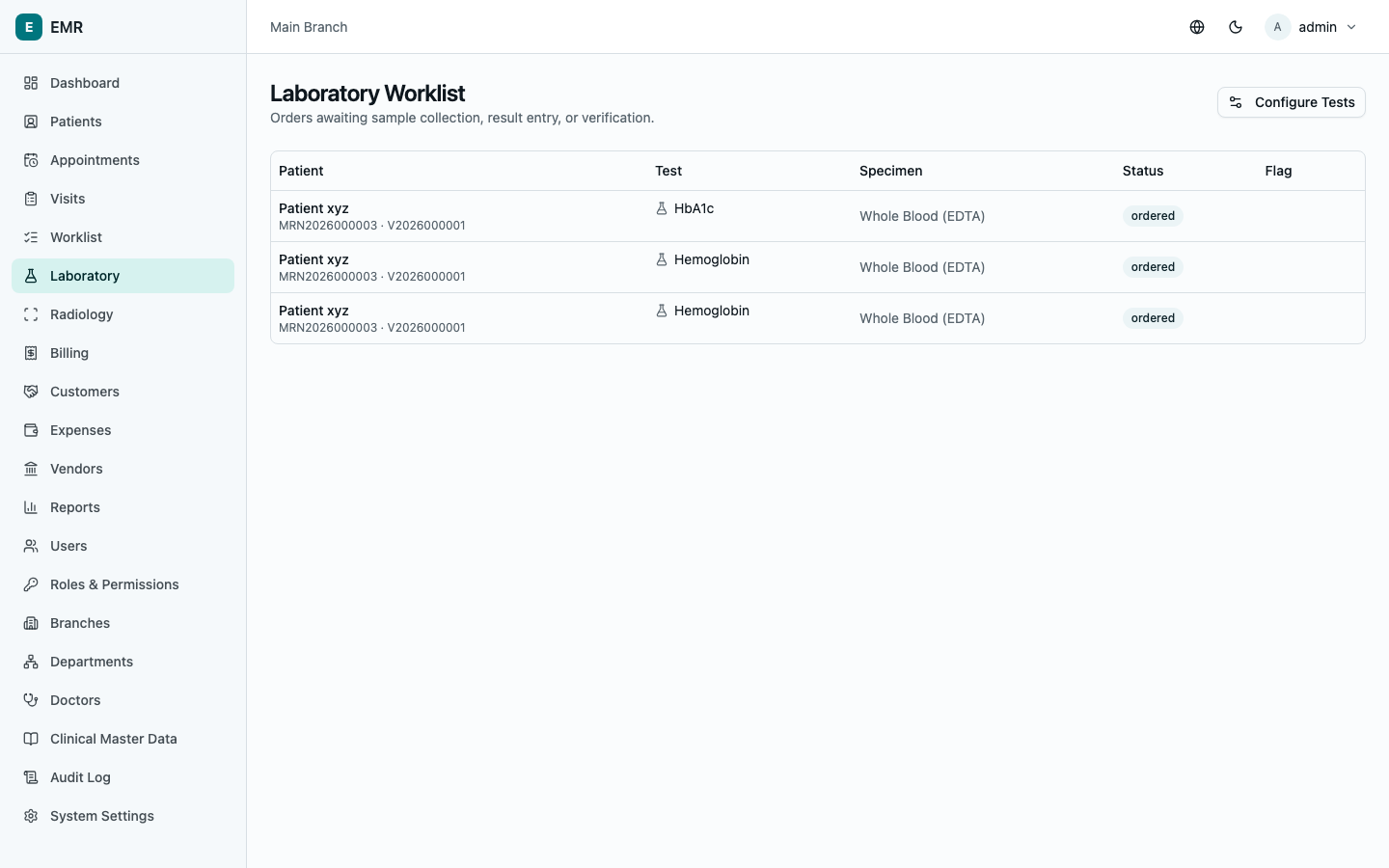
Go to Laboratory. This lists every ordered test that's been billed and is awaiting sample collection, result entry, or verification — tests that have been ordered but not yet paid for don't appear here. Each row shows the patient, the test, specimen type, current status, and an abnormal-result flag once a result is in.
If you configure lab tests (specimen type, reference ranges, pricing), Configure Tests takes you to that setup screen — see Administration.
Processing one test
Select a row to open it.
- Collect sample — while the test is awaiting sample collection, this button marks it collected and timestamps it.
- Enter result — type the Result value, and (for numeric tests) the system automatically flags it Normal/Low/High/Critical against the configured reference range for the patient's age and sex. Add a Narrative result and Technician comments as needed, then Save result. A result that flags critical shows a prominent warning; someone must select Acknowledge before it can be verified.
- Verify — a second person (never the same person who entered the result) reviews it and selects Verify, adding Pathologist comments if relevant. This locks the result — it can no longer be edited directly.
Once verified, select Download report any time to get a printable PDF.
Correcting a verified result
A locked (verified) result can't be edited in place — instead, open it and use Submit amendment: enter the corrected value and a required Amendment reason. This creates a new result entry that supersedes the original, which stays on file as the historical record of what was first reported (visible together on the patient's history).
A note on department access
If your role is scoped to a department, your worklist only shows tests ordered from visits in that department. See Administration.